How to embed a Bluesky post on your website.
A Bluesky embed puts one public post on your website, free and without an account: copy the code from the post’s share menu or embed.bsky.app. Here is what it shows, how to set its theme, and where it goes on each platform.
- Published
- Reading time
- 7 min read

On this page
The short answer
- To embed a Bluesky post on your website, open its share menu on bsky.app, choose Embed post and copy the code. It is free and needs no account.
- embed.bsky.app makes the same code from a post’s address. Both let you pick a System, Light or Dark theme.
- The embed shows the post’s photos, video, link card and any post it quotes. A reply shows without the post it answers.
- WordPress has a Bluesky Embed block. Wix, Squarespace, Webflow and Ghost take the code in their HTML or code elements.
- Bluesky embeds single posts only. Showing an account’s latest posts without editing the page takes a feed widget.
How do you embed a Bluesky post on your website?
Open the post on bsky.app, select the share icon below it, choose Embed post and copy the code. Paste it into an HTML block where the post should appear. You can also paste the post’s address into embed.bsky.app for the same code. Both are free, and neither needs a Bluesky account.
Bluesky added embeds for single posts in April 2024, and its own guide still describes the same two routes: the post’s menu, or the embed.bsky.app page. It leaves out a third. Sites that read oEmbed, WordPress among them, turn a post’s address into the embed for you.
| Method | What you start with | What it takes |
|---|---|---|
| Embed post, in the share menu | The post, open on bsky.app | Free, and no sign-in |
| embed.bsky.app | The post’s address | Free, and no sign-in |
| A Bluesky Embed block | The post’s address, in your site’s editor | WordPress, or another tool that reads oEmbed |
All three end in the same place: one post, drawn by Bluesky in a frame on your page, linking back to the conversation on Bluesky. None of them embeds a profile or a whole feed, which the last section covers.
How do you get the embed code for a Bluesky post?
On bsky.app, open the post, select the share icon, then Embed post. The dialog has Customization options with a Color theme, and a Copy code button. Or go to embed.bsky.app, paste the post’s address, choose System, Light or Dark under Theme, and select Copy code.
- Find the post on bsky.app. Any public post works, yours or someone else’s, and you do not have to be signed in.
- Select the share icon, then Embed post. To pick a theme, open Customization options. Or choose Copy link to post from the same menu and paste the link into embed.bsky.app.
- Copy the code and paste it into an HTML block on your page. The table further down shows where that block is on each platform.
<blockquote class="bluesky-embed"
  data-bluesky-uri="at://ACCOUNT_DID/app.bsky.feed.post/POST_ID"
  data-bluesky-cid="CONTENT_ID"
  data-bluesky-embed-color-mode="system">
  <p lang="en">The text of the post, as it was published.</p>
  Name (<a href="https://bsky.app/profile/ACCOUNT_DID">@handle</a>)
  <a href="https://bsky.app/profile/ACCOUNT_DID/post/POST_ID">The date</a>
</blockquote>
<script async src="https://embed.bsky.app/static/embed.js" charset="utf-8"></script>
The code is a quotation of the post in plain HTML, a blockquote with the class bluesky-embed, followed by Bluesky’s script. The script replaces the quotation with a frame from embed.bsky.app that draws the post. The data-bluesky-uri attribute is the post’s permanent address on the AT Protocol, built on the account’s DID rather than its handle, so the embed keeps working if the author changes their handle.
What does an embedded Bluesky post show?
The author’s name, handle and a Follow link, the post’s text, its like, reply and repost counts, the date, and a Bluesky logo. Photos, video and link cards appear too, and so does a post it quotes. In our test a video played inside the embed, and a reply appeared without the post it answers.
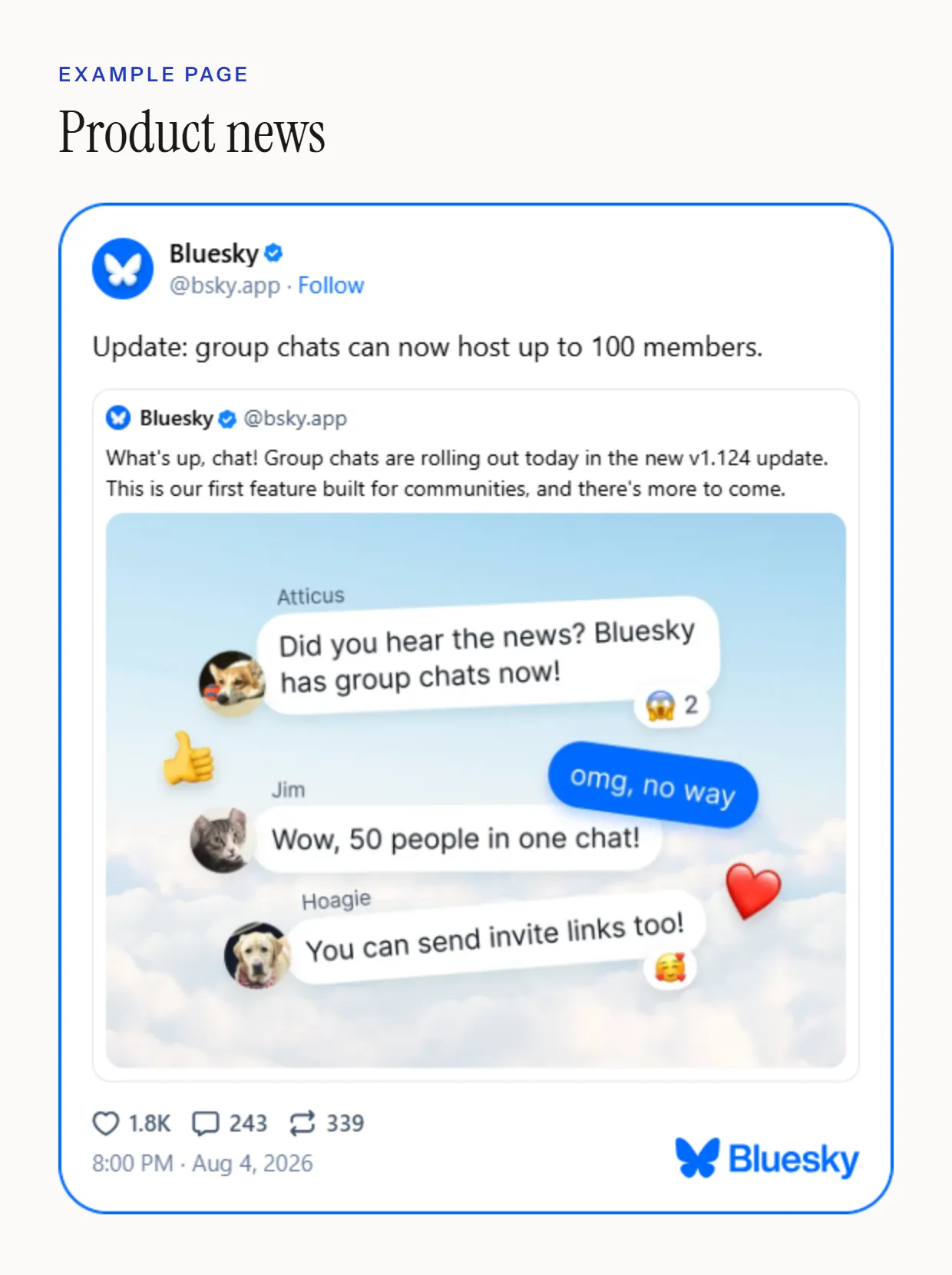
We embedded seven posts from Bluesky’s own account, one of each kind, on a plain test page. Every one rendered. What each kind looked like:
- Photos. A single photo shows in full. A post with five photos showed four tiles, the last marked +1; selecting the embed opens the post on Bluesky.
- Video. It played inside the embed, with the usual player controls.
- Links. A link card shows its preview image, title and site.
- Replies. A reply shows on its own. If it needs the post it answers to make sense, embed that post too.
- Size. The embed is at most 600 pixels wide and narrows to fit a smaller column. Its height grows to fit the post.
Can a Bluesky embed match a dark website?
Yes. Both embed.bsky.app and the Embed post dialog offer three themes: System, which follows the visitor’s device, Light and Dark. The choice becomes a data-bluesky-embed-color-mode attribute in the code, so you can switch code you have already pasted by editing that one word. Colours and fonts beyond that are Bluesky’s.
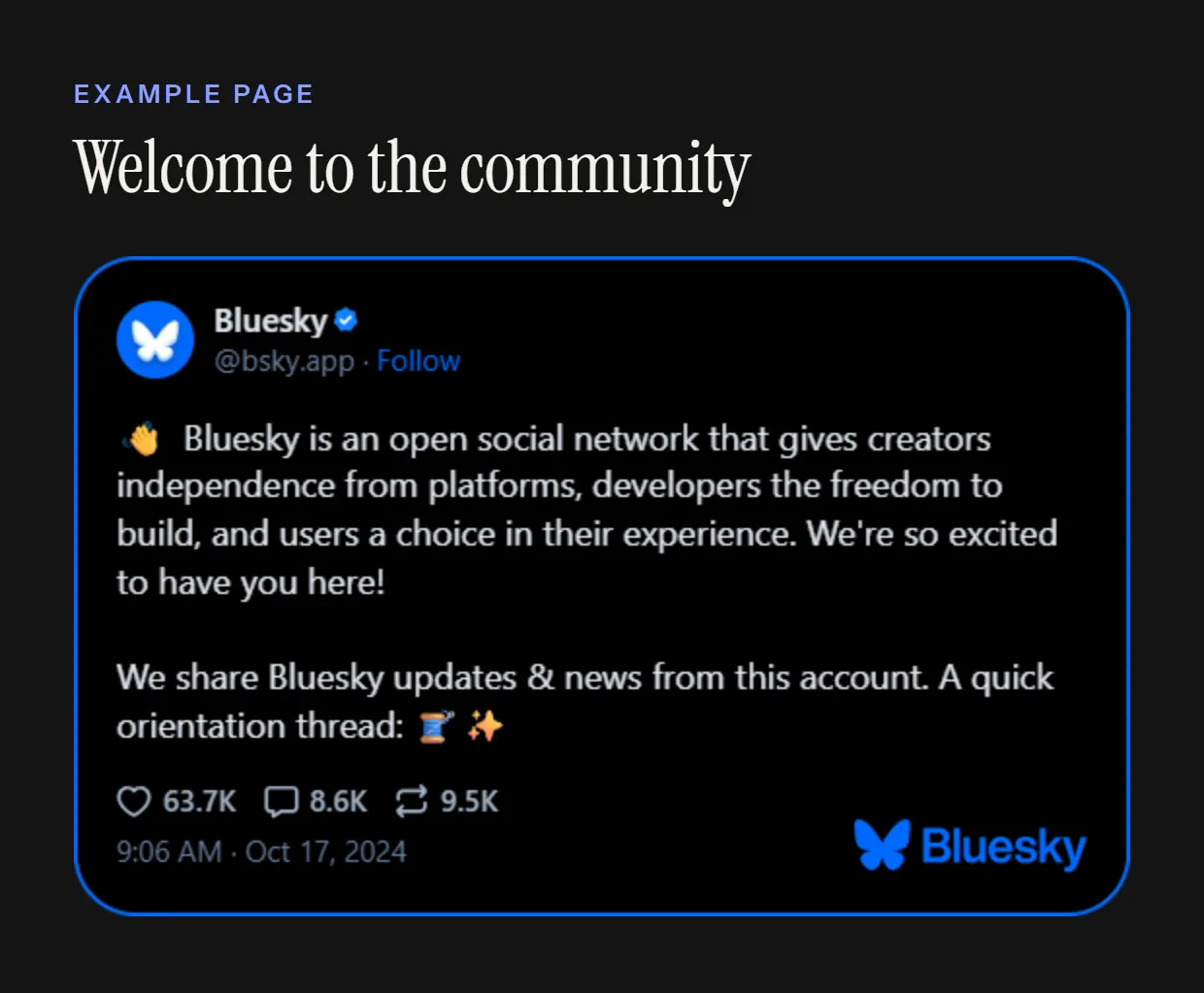
The attribute takes system, light or dark. Both tools start on System, so on a dark website a visitor whose phone is set to light mode sees a white card. If your site has one colour scheme whatever the device, set the theme that matches it.
How do you add a Bluesky embed in WordPress, Wix, Squarespace or Webflow?
In WordPress, add a Bluesky Embed block and paste the post’s address. Elsewhere, paste the embed code into the builder’s code element: Embed HTML in Wix, a Code block in Squarespace, a Code Embed element in Webflow, an HTML card in Ghost. Check the published page, because editors often show a placeholder instead.
| Platform | Where to paste it | Watch for |
|---|---|---|
| WordPress | A Bluesky Embed block: type /bluesky, paste the post’s address, select Embed | Only the address is needed. WordPress has trusted Bluesky’s embeds since version 6.6; we tested 7.1. |
| Wix | Add Elements, Embed Code, Popular Embeds, Embed HTML, then Enter Code | Wix runs the code in a frame of its own that does not resize, so make the element tall enough for the post. |
| Squarespace | A Code block | Scripts need the Core, Plus or Advanced plan, and may not show while you are logged in. |
| Webflow | A Code Embed element, from the Add panel | The Designer shows a placeholder; preview or publish to see the post. Needs a Site plan, or a Core, Growth, Agency or Freelancer Workspace. |
| Ghost | An HTML card: type /html | Preview the draft to see the post. |
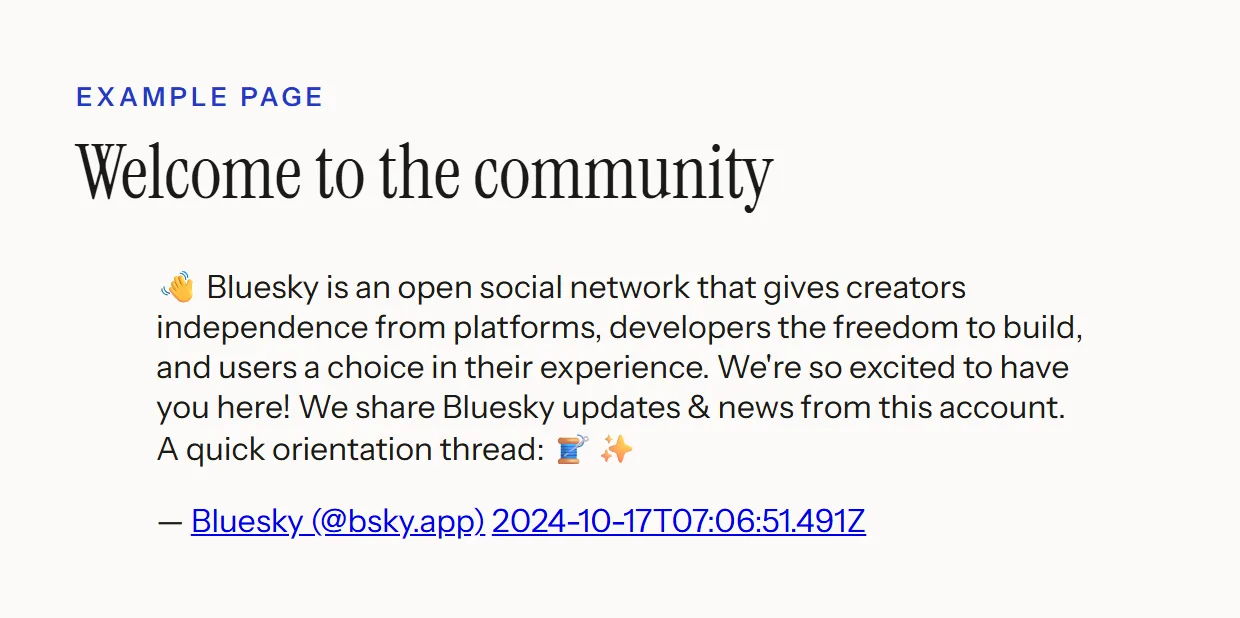
WordPress is the easy case. Bluesky asked for its embeds to be trusted in WordPress ticket 61020, which shipped in version 6.6, and the editor now has a Bluesky Embed block. In our test on WordPress 7.1 the block fetched the post from its address, and a preview of the page showed it, quoted picture included. There is no code to copy.
The others need the code, and each has a catch, all from its own help centre. Wix says its HTML element is an iframe, so the code will not be responsive. Squarespace allows JavaScript in a Code block on its Core, Plus and Advanced plans only. Webflow’s Code Embed element shows any script as a placeholder in the Designer. For where each editor keeps its code element, see our install guides.
Why would an embedded Bluesky post not show?
Bluesky applies the same rules as its logged-out website. Its documentation says embeds hide adult-only content, deleted posts and deleted accounts, and posts from accounts that ask not to be shown to logged-out visitors. If the script does not run at all, visitors see the post’s text as a plain quotation instead.
Those rules come from Bluesky’s developer documentation. The last one is a setting any Bluesky user can switch on, so a post that embeds today can stop showing if its author changes their mind. The page around it stays as it was.
How to check your own embed
- Open the published page, not the editor, in a private window.
- If you see only text, the script did not run. Check that your plan allows scripts, using the table above.
- If the post itself is missing, open its address on bsky.app while signed out. The embed shows what that page shows.
Can developers get Bluesky embed code automatically?
Yes. Bluesky runs an oEmbed endpoint at embed.bsky.app/oembed. Send it a post’s bsky.app address and it returns the embed code as JSON. Post pages also point to the endpoint in their HTML, which is how WordPress and other tools turn a pasted link into an embed without anyone copying code.
https://embed.bsky.app/oembed?url=https://bsky.app/profile/HANDLE/post/POST_IDurlis required: a post’s bsky.app address, or its AT-URI.maxwidthtakes 220 to 600 pixels, and defaults to 600.maxheightis accepted and ignored, and the response’sheightis always null, because a post’s height is only known once it is drawn.- JSON is the only format. The response we got asked to be cached for a day.
Bluesky’s script turns every element with a data-bluesky-uri attribute into an embed when the page loads. If your site adds posts later, as single-page apps do, call the script again once they are in the page. It also takes one element, to scan just that part.
<script>
  /* After adding a bluesky-embed blockquote to the page yourself */
  window.bluesky.scan();
</script>
One more thing the script does: it tells Bluesky which page the post is on, by sending your page’s address, without its query string, as ref_url when it loads the frame. Your visitors’ browsers then load the post from Bluesky’s servers. Both are worth knowing if your privacy notice lists the services your pages load.
Can you embed a whole Bluesky feed?
Not with Bluesky’s own tools. Its embed code and oEmbed endpoint take single posts only, so a feed built from them is a list you update by hand. To show an account’s latest posts without editing the page yourself, use a widget that reads Bluesky’s public API, which serves any public account’s posts without a key.
A Bluesky feed widget from Vitraz works that way. Paste a handle and it follows the account by its permanent identifier, showing the account’s own posts with the first photo of each, video stills and link cards, and leaving out replies and reposts. Bluesky accounts are a free source on every plan, Free included, where the feed refreshes daily. The feed takes your layout rather than Bluesky’s card, and can sit beside other networks in one wall.
Questions people also ask
No. The share menu on bsky.app offers Embed post to visitors who are not signed in, and embed.bsky.app needs only the post’s address. Your visitors need no account either: the embed shows what Bluesky’s logged-out website shows.
Bluesky stops showing it: its documentation says embeds hide deleted posts and deleted accounts. The post’s words are still in your page’s code, inside the quotation the embed code starts with, so remove the code as well if they should go.
One post at a time. Each embed code shows a single post, and in our test a reply appeared without the post it answered. To show a thread, embed its posts one after another, in order.
Bluesky’s script did not run, so the plain quotation in the code is what remains. Editor previews, plans that block scripts and browser extensions all cause it. Check the published page first; if it still shows text, check that your plan allows scripts.
Yes. Bluesky’s script sends your page’s address, without its query string, to embed.bsky.app when it loads the post, and your visitors’ browsers fetch the post from Bluesky. List it with the other services your pages load.
Sources
- 1.How to embed a Bluesky post on your website or blogBluesky
- 2.Embeds: oEmbed and Post Embed WidgetBluesky documentation
- 3.Embed a Bluesky PostBluesky
- 4.#61020: Add Bluesky (bsky.app) to oEmbed allowlistWordPress Trac
- 5.Embedding a site or a widgetWix Help Center
- 6.Code blocksSquarespace Help Center
- 7.Custom code embedWebflow Help Center
Keep reading
Put real posts on your site, where Google can read them.
One deferred script, rendered into your page, no cookies. Your first feed is free and needs no card.
Build your first feed