Twitter (X)Available now
A Twitter (X) feed widget that suits the words.
X is the one network where the content is mostly text, and most social media widgets treat it like a photo grid anyway. A good X feed is closer to a pull quote than to a gallery.
X works today on Studio and up. Paste any public @handle: there is nothing to sign in to. A hashtag or mentions search covers the last seven days. Reads are billed, so any of those uses a metered slot.

Text posts need line length, not crop marks. A compact timeline keeps each post readable at its natural length instead of truncating it into a tile.
What X hands over
Any public account, a hashtag, or mentions
X moved reading access onto paid API tiers. That decides the shape of the integration: we read any public account by its @handle, or we search a hashtag or mentions over the last seven days, and we do not pretend any of that is free.
What you get
- Original posts from any public account you point us at
- Public posts from the last seven days that carry a hashtag you track
- Public posts from the last seven days that mention an account you track
- Post text, timestamp and permalink
- Attached images and video thumbnails, where a post has them
- Like and reply counts as at the last sync
What it won’t do
- Replies and reposts on an account feed: a website widget should be the posts they published, not the conversation around them
- Anything older than seven days on a hashtag or mention search
- Anything from a protected account
Setup
How to add a Twitter (X) feed to your website.
Be on Studio or above
X is a metered source: each post collected draws on a monthly allowance rather than being unlimited. Studio is the first plan that includes a metered slot.
Paste a handle, a tag, or mentions
Any public @handle works, including one that is not yours. Or paste a tag or an @handle to search the last seven days. Search posts wait for approval because strangers wrote them. Account posts are that account's own, so they land approved.
Choose a text-first layout
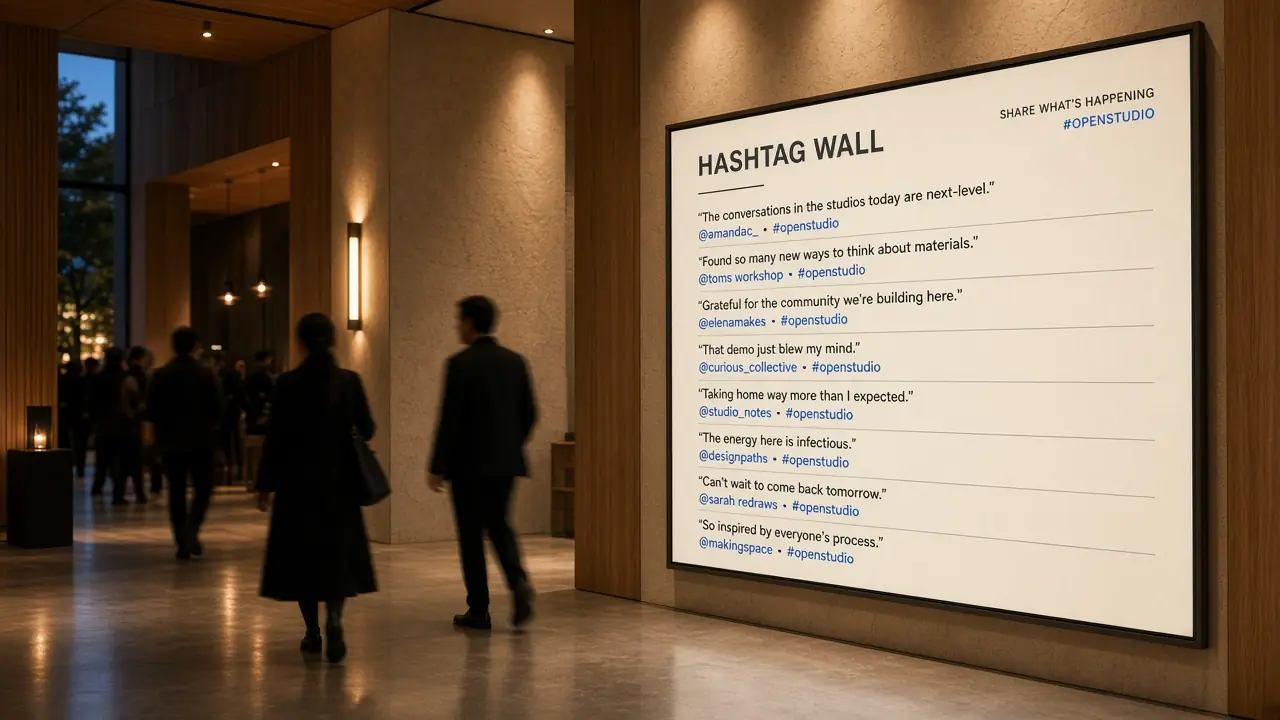
Testimonial and carousel layouts give a post room to be read. A tight photo grid will crop your best-written post into three words and an ellipsis.
Approve what you want on the site
Account posts land approved. Pin, hide or remove anything the wall should not keep. A hashtag or mention still waits in review.


Twitter (X), in particular
Why this is billed per post
X no longer has a free read tier that can power a website widget. We pass that cost through as a metered slot on Studio and up, and we skip posts already on the wall so a quiet account is not re-billed for the same timeline every few hours.
- Studio is the first plan with a metered slot
- Refresh skips posts we already stored, so you pay for new ones
- Auto-approve suits an account feed, where those posts are already that account's own
- A hashtag or mention always lands in the review queue, even on auto-approve feeds
- Hiding a post removes it from the wall without any drama on the platform
Install guides
Works on the site you already have.
The embed is one script tag and one element, which every builder that allows custom HTML accepts, and it renders in its own shadow root so your styles and ours never collide. Each guide shows where the paste box lives.
No. Public posts are public. Paste an @handle or a profile URL for that account's original posts, or a hashtag or @handle to search mentions. Protected accounts cannot be read. Studio and up, where the metered slots are.
Yes. Build the Twitter feed in Vitraz, then add it with the free Vitraz plugin on WordPress, or paste the embed code into Shopify’s Custom Liquid block or a Webflow Embed element. The integration pages show each step.
On a clock set by your plan rather than a fixed interval, because the posts it collects draw on your monthly allowance. The tier number is a floor, not a promise: the pace is set against what is left of the month's allowance, so a busy hashtag cannot spend it all in two days and then sit frozen for twenty eight.
Live in the sense that it keeps itself current with nobody touching it, not in the sense of a stream. Each refresh reads what is new since the last one, on a cadence your plan sets, so a post appears between half an hour and a few hours after it is published rather than the instant it is. For a lobby screen or a sidebar that is invisible. For a countdown, it is the wrong tool.
The posts already collected stay where they are, because they live in your workspace rather than being proxied live from X on every page load. A pricing or access change affects what arrives next, not what is already on your site.
The platform's own embed still exists and remains the free route for a single timeline. It also means X's markup, X's typography and X's script on your page. The trade you are making with an aggregator is control over layout, moderation and performance.
X runs on a metered slot, where each post collected draws on your monthly post allowance. Studio is the first plan that includes one. Free and Spark include the unmetered networks instead.
Yes, on Studio and up. Paste a tag or an @handle. Search only covers the last seven days, each post is billed, and every one waits for approval because strangers wrote them. If the first read finds a large set, we ask whether to import 24 newest or everything we already fetched, so a busy tag does not burn the month's allowance in one click.
Yes, if it is public. Paste the @handle. Protected accounts cannot be read. Whether you should showcase someone else's posts is a different question: a partner or a speaker's feed is fine, passing off another brand's timeline as your own is not.
Where a post has them, yes. But most X posts are text, and building the layout around the minority of posts with pictures is why so many X widgets look sparse.
More networks
Other feeds people build.
Every network compared side by side, including what each one demands before it will hand anything over, is on the social media widgets overview.
LinkedIn widget
Company page updates and employee advocacy posts
Instagram widget
Posts, Reels and tagged photos from a professional account
RSS widget
Articles from any blog or publication feed

Build your first wall today.
Connect X from your workspace, pick a layout, and paste one line of embed code.